Keeping data rooms cool is key to keeping your critical IT infrastructure reliable and long-lasting.
Data rooms house your valuable servers and networking gear so any compromise in cooling can lead to overheating, equipment failure, data loss and costly downtime.
Proper cooling prevents all that and supports all systems to run smoothly, with stability and efficiency for today’s data-driven operations.
In this blog, DSJ Pipework will be looking at the best practices for data room cooling.
From regular inspections and airflow management to advanced monitoring and backup solutions, all designed to protect your gear and reduce operational risk.
Why Cooling Matters in Data Rooms
Cooling systems are critical to keeping data rooms at temperatures that allow equipment to run safely and efficiently. Without cooling servers and other hardware can overheat quickly, reducing efficiency, damaging equipment and even failing.
Insufficient cooling puts more strain on components and can shorten their life and increase replacement costs. Inadequate cooling can also cause unexpected downtime which can be especially costly if it impacts data availability or business-critical operations.
Studies have shown overheating is one of the top causes of hardware failure in data centres so cooling is not just an operational necessity but an investment in the overall resilience and security of a business’s IT infrastructure.
Regular Inspections and Maintenance Checks
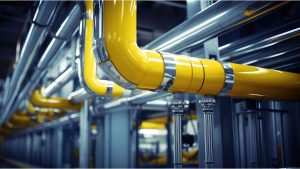
Regular inspections and maintenance checks are key to keeping cooling systems running smoothly. A proactive maintenance schedule helps detect early signs of wear, leaks or blockages that if left unchecked could cause system failure.
Inspections should include key components like air filters, fans and vents which play a big part in airflow and cooling performance. Regular checks not only identify issues early but prevent them from becoming more costly repairs or replacements.
Having a structured maintenance schedule with checks monthly or quarterly ensures each component of the cooling system is working reduces the risk of disruption and keeps the cooling environment stable.
Airflow Management
Airflow management is a key part of data room cooling as it ensures cool air reaches all areas, minimises hotspots and maintains temperatures.
Organising equipment in hot and cold aisle configurations helps direct cool air to the front of equipment and carry warm air away, creating an optimal cooling environment.
By arranging servers and racks to direct airflow efficiently data rooms can prevent overheating without having to lower overall temperatures.
For better airflow raised floors or ceiling vents can help circulate cool air and make it easier to direct and manage.
These practices not only improve the system’s cooling efficiency but also reduce energy consumption by reducing the load on the cooling units.
Temperature and Humidity Monitoring
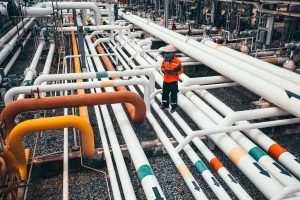
Real time monitoring of temperature and humidity is key to keeping the data room environment stable.
By using strategically placed sensors operators can track these metrics closely, to ensure temperatures are within the optimal range and humidity is controlled to prevent condensation or electrostatic discharge which can damage equipment. Sensors should be placed at multiple points in the room to get an accurate picture of the conditions, especially near critical hardware.
Keeping temperatures within the recommended range of 20-24°C and humidity 40-60% reduces the risk of environmental factors damaging the equipment. Continuous monitoring allows for prompt response to fluctuations and protects the data room environment.
Redundancy and Backup Cooling Solutions
Having redundancy and backup cooling solutions in place is key to avoiding downtime in case of cooling failure. Redundant systems ensure that even if the primary cooling unit fails the backup units can take over and maintain the environment.
Different redundancy setups like N+1 (one extra unit above the minimum required) or 2N (two units for everyone needed) provide different levels of protection depending on the business needs and budget. For example, portable air conditioning units can be used as temporary backups, especially during peak loads or unexpected outages.
Having these redundant systems data rooms can ensure continuous cooling and reduce the risk of disruption to business operations and equipment reliability.
Cleaning and Filter Replacement
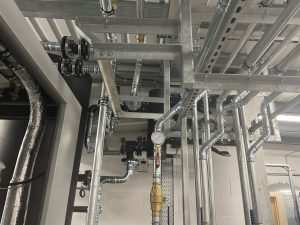
Regular cleaning and timely filter replacement are key to maximising cooling system efficiency. Dust and debris can accumulate in filters and on equipment surfaces and block airflow and reduce cooling performance.
Filters should be cleaned or replaced as per manufacturer’s recommendations usually every 3-6 months to maintain optimal performance.
Also cleaning around the area and equipment surfaces reduces the amount of airborne particles that can damage sensitive hardware.
Professional cleaning services can be beneficial for larger or more complex installations. This proactive approach to cleaning prevents blockages that can stress the cooling system and ensures cleaner and better airflow and ultimately extends the life of the system.
Energy Efficiency and Cost-Saving Tips
Improving cooling system energy efficiency not only reduces operational costs but also supports sustainability goals. Simple changes like setting thermostats to optimal levels and using energy-saving modes can have a big impact on energy consumption.
Facilities managers can assess system efficiency by reviewing energy consumption patterns and identifying areas to improve like sealing leaks or upgrading to more efficient cooling units.
By adopting energy efficient practices organisations can save costs and reduce their environmental footprint. The long-term benefits of these cost savings go beyond finances and contribute to the responsible use of resources and a more sustainable data environment.
Planning for Upgrades and Future Proofing
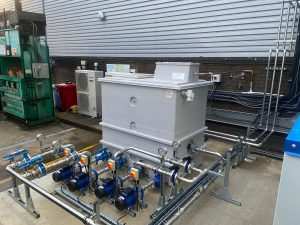
As data grows data centres need to plan for future cooling requirements to keep up with technological advancements. Assessing current cooling capacity and forecasting future needs will help data centres stay agile as equipment power requirements increase.
Upgrading the cooling systems or adopting new technologies like liquid cooling or economisation can help meet future needs without straining resources.
Regular infrastructure assessments of the data room will provide insight on when upgrades are required so you can plan for a smooth transition rather than costly reactive changes.
Planning for upgrades proactively ensures the cooling system remains robust, can handle future demands, and maintains data room reliability over time.
Conclusion
In summary, data room cooling system maintenance is key to equipment reliability, avoiding downtime and extending IT asset life.
By following these best practices – regular inspections, airflow optimisation, real-time monitoring and planning for future needs – businesses can protect their infrastructure and overall system performance.
Maintaining these systems proactively not only protects valuable data and equipment but also business continuity.
With a well-maintained cooling system in place, you can focus on your core business knowing your data room is stable and efficient.